> For the complete documentation index, see [llms.txt](https://docs.gm.ai/llms.txt). Markdown versions of documentation pages are available by appending `.md` to page URLs; this page is available as [Markdown](https://docs.gm.ai/introduction/usdgm-token/usdgm-anchor-program/how-to-join.md).
# How to join?
The $GM Anchor Program Guide
### Deposit
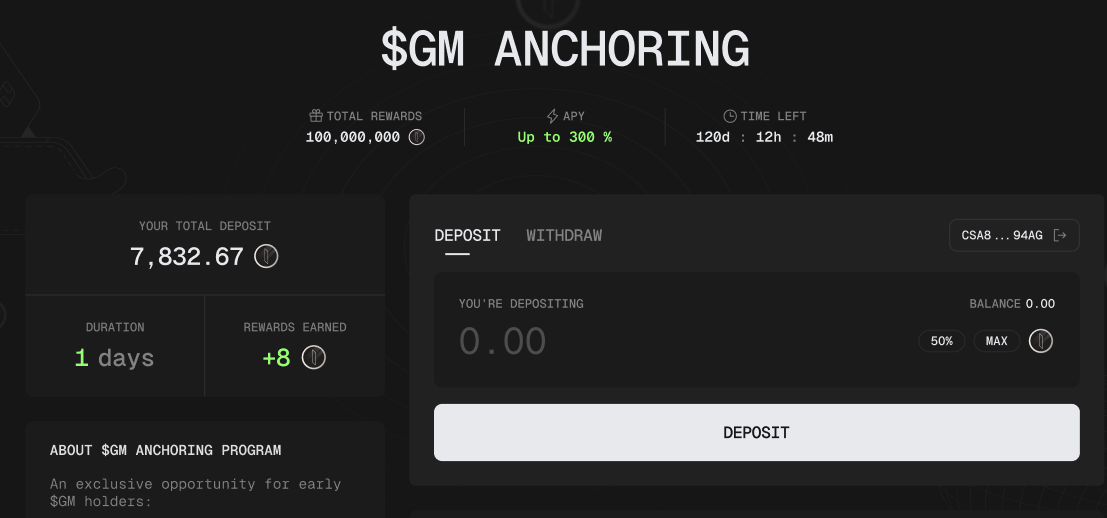
To join the loyalty program, go to this the GM Anchoring Page and do the following steps:
**Step 1**: Connect your wallet and go to the Deposit tab
**Step 2**: Enter the amount of $GM that you want to deposit
**Step 3**: Confirm the transaction in your wallet, and now you are good to go.
### Withdraw
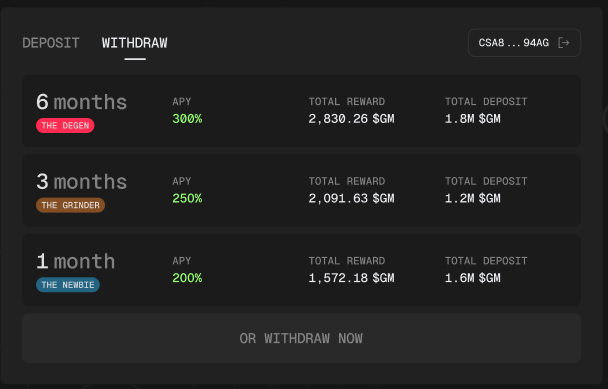
While deposit only comes with one option, you will have multiple options for withdrawing your $GM, including joining
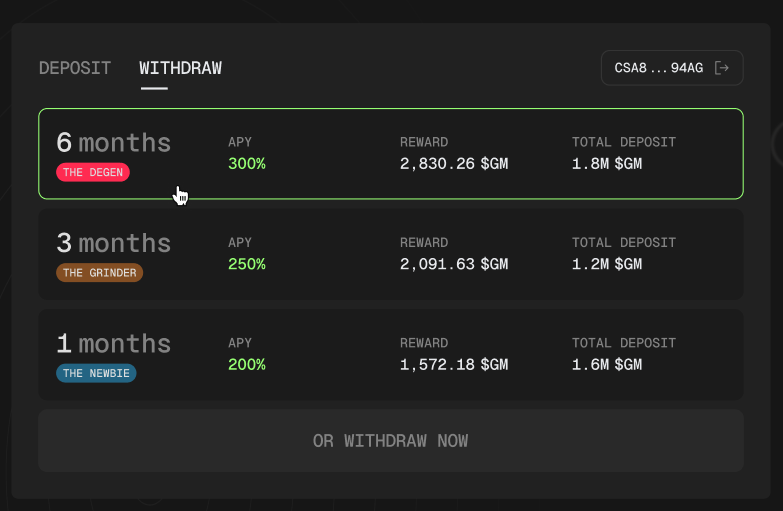
**Withdraw with a plan**
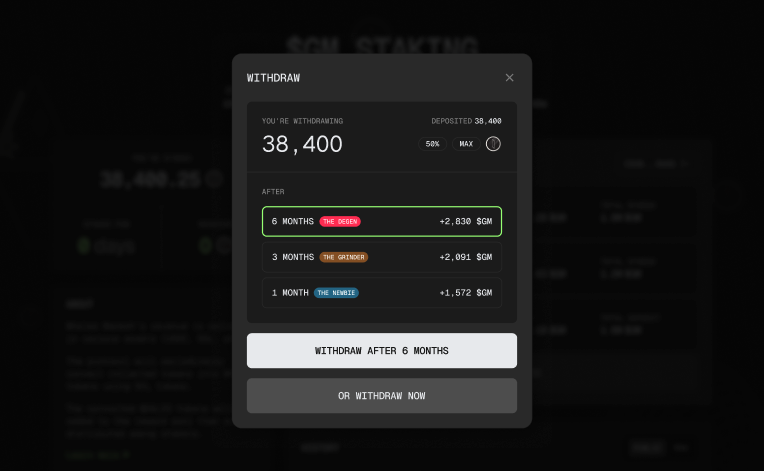
To choose your withdraw plan, go to the withdraw tab and choose a plan you want to withdraw.
Confirm your withdraw plan.
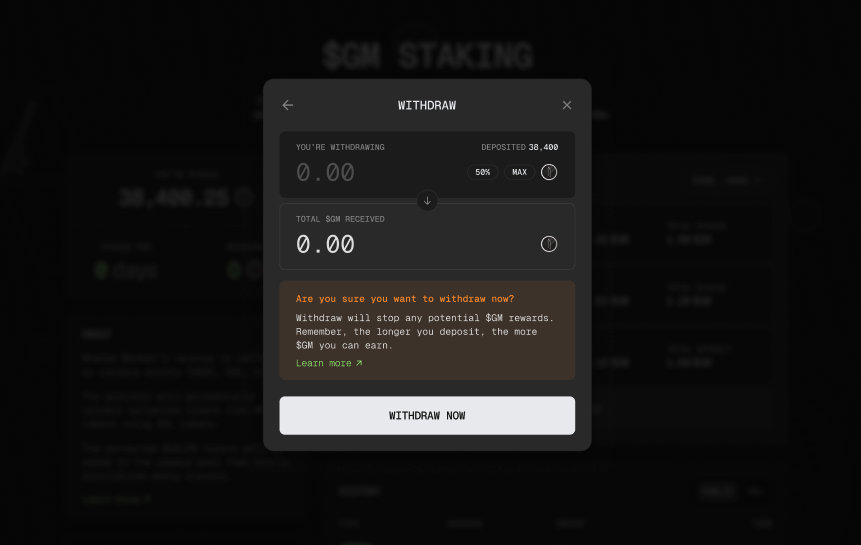
**Withdraw instantly**
If you wish to withdraw your token instantly, just simply go to the **withdraw tab** and then click on **Withdraw now.**
Enter the **amount of $GM** that you want to withdraw, then click **Withdraw now.**